
SDDP 19
The new generation of the SDDP Platform
An integrated environment connecting long- and short-term operation planning, expansion planning, transmission-aware analysis, data management, visualization and collaborative workflows.
 SDDP
SDDP NCP
NCP OptGen
 NetPlan
 CORAL
CORAL OptMain
One platform for long-term planning and short-term operation.
It is built for systems where renewables have multiplied variability and uncertainty, transmission bottlenecks are proliferating as generation moves to where the resources are, and data centers and other large flexible loads bring demand dynamics never seen before. With NCP and NetPlan joining the platform, and OptNet extending OptGen to the transmission network, a single analytical chain now runs from long-term expansion decisions down to minute-level operation.
NCP 7.0 New to the platform
From long-term policy to real operation
NCP, PSR's short-term dispatch tool used for decades in control centers for day-ahead and week-ahead scheduling, is now part of the SDDP Platform. It shares the same network, generators and costs as SDDP, with water values passed directly from SDDP's stochastic policy.
Resolution from 60 minutes to 1 minute
Add operational detail beyond the hourly resolution, capturing steep intra-hour solar ramps, battery arbitrage and reserve activation dynamics.
Unit-level representation
Hydro plants at the unit level with nonlinear generation functions, thermal units with detailed startup and operating constraints, and hybrid renewable-plus-storage plants.
Day-ahead, intra-day and real time
Three complementary use cases: day-ahead scheduling, intra-day redispatch, and near-real-time balancing and reserve management.
OptNet and NetPlan New in SDDP 19
OptGen · OptNetTransmission expansion in OptGen
OptNet, OptGen's network module, determines the minimum-cost set of reinforcements, among candidate lines, transformers, DC links, series capacitors and flow controllers, that ensures secure operation across all dispatch scenarios, with no circuit overloads or load shedding, and can also enforce N-1 contingency criteria.
NetPlanAC power flow analysis
A suite of optimization tools that complements the linear power flow on the AC side. Starting from the SDDP dispatch, its AC optimal power flow identifies reactive power adequacy issues and recommends the shunt and control adjustments needed to keep bus voltages within their limits.
One network across the platform
Both tools run on the detailed network representation introduced in SDDP 18, with AC elements, transformers, FACTS devices, DC links and dynamic line ratings, sharing the same topology, generation and cost data used in SDDP, NCP and OptGen studies.
SDDP
Penalty-free formulation
A new formulation based on feasibility cuts separates feasibility from optimality, automatically detecting true infeasibilities while preserving consistent price signals.
Redesigned cut management
A new cut management engine delivers substantial performance gains on large-scale cases, so you can increase model complexity, scenarios and iterations without prohibitive runtimes.
Battery cycling and self-discharge
A new variable counts battery cycles in each stage and is available in generic modeling, so you can limit cycling per week, month or year with multi-stage generic constraints. Self-discharge represents the loss of stored energy within a stage, in all chronological resolutions.
Up, down or both reserve directions
The time block representation now matches the hourly one, allowing reserves to be provided upward, downward or in both directions.
OptGen
Data centers and large flexible loads
Represent data centers and other large flexible loads explicitly in expansion decisions.
Technology degradation
Account for battery capacity degradation and the decline of solar capacity factors over asset lifetimes, avoiding biased investment choices.
Firm capacity of renewables
Automatic calculation captures how each technology's capacity contribution changes as penetration grows and peak hours shift. Energy efficiency programs can now also be included in firm energy and firm capacity generic constraints.
Resilience days
Resilience days in OptGen 2 verify the operational feasibility of a real day, identified by its date and scenario, by adding that day's constraints to the base expansion problem.
Faster convergence
Convergence improvements, network reduction techniques and automatic precedence constraints for transmission projects make large co-optimization studies faster and more robust.
New dashboard
A more flexible dashboard with new visualizations, integrated with Plot, shows the operational dispatch behind each expansion decision.
Transmission expansion with OptNet. OptGen's new network module decides the minimum-cost transmission reinforcements for the dispatch scenarios computed by SDDP.
Explore OptNetVisualization and results
Energy Map
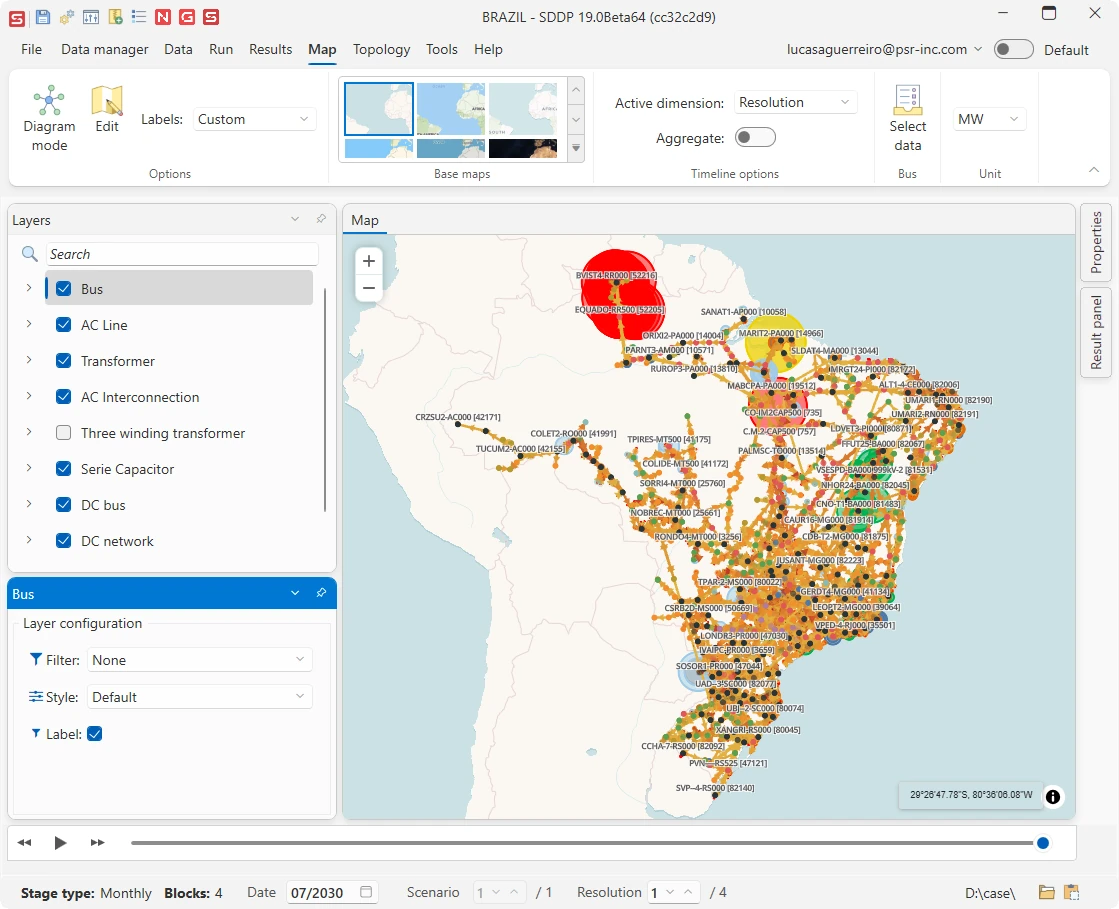
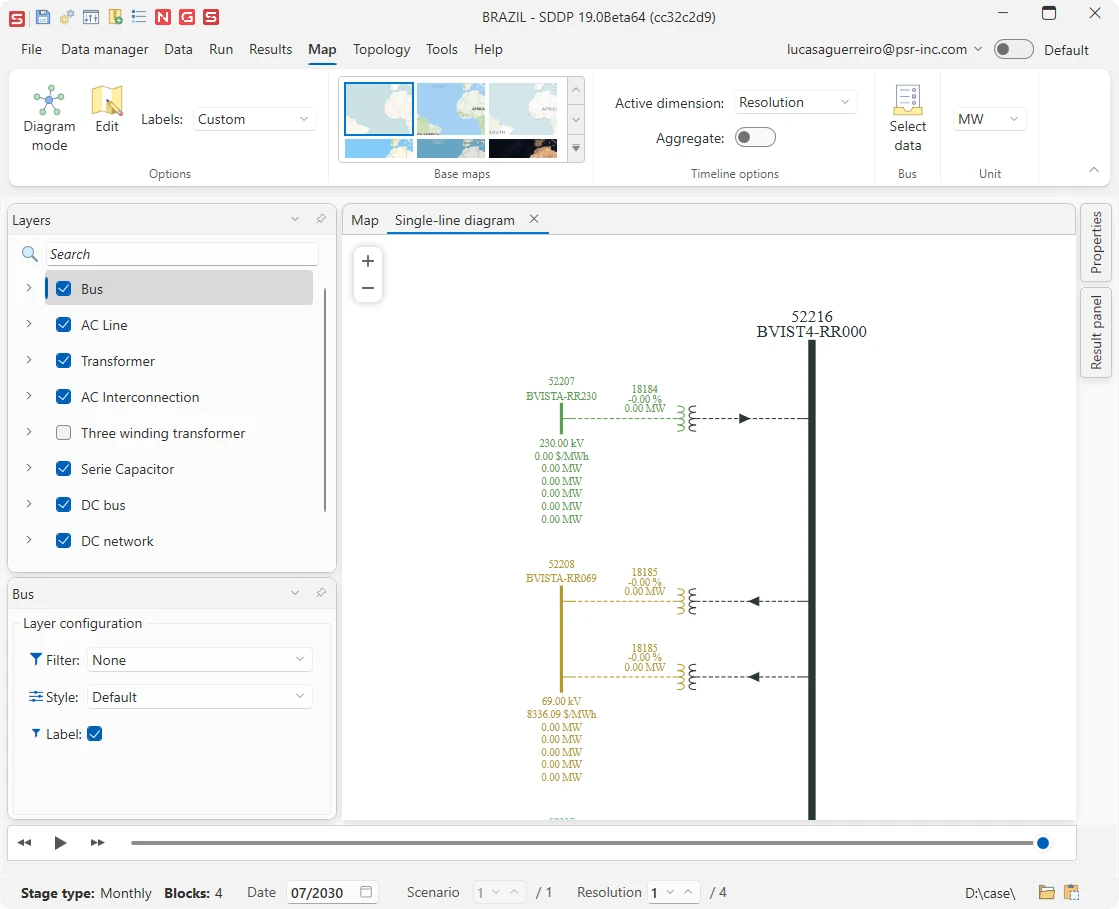
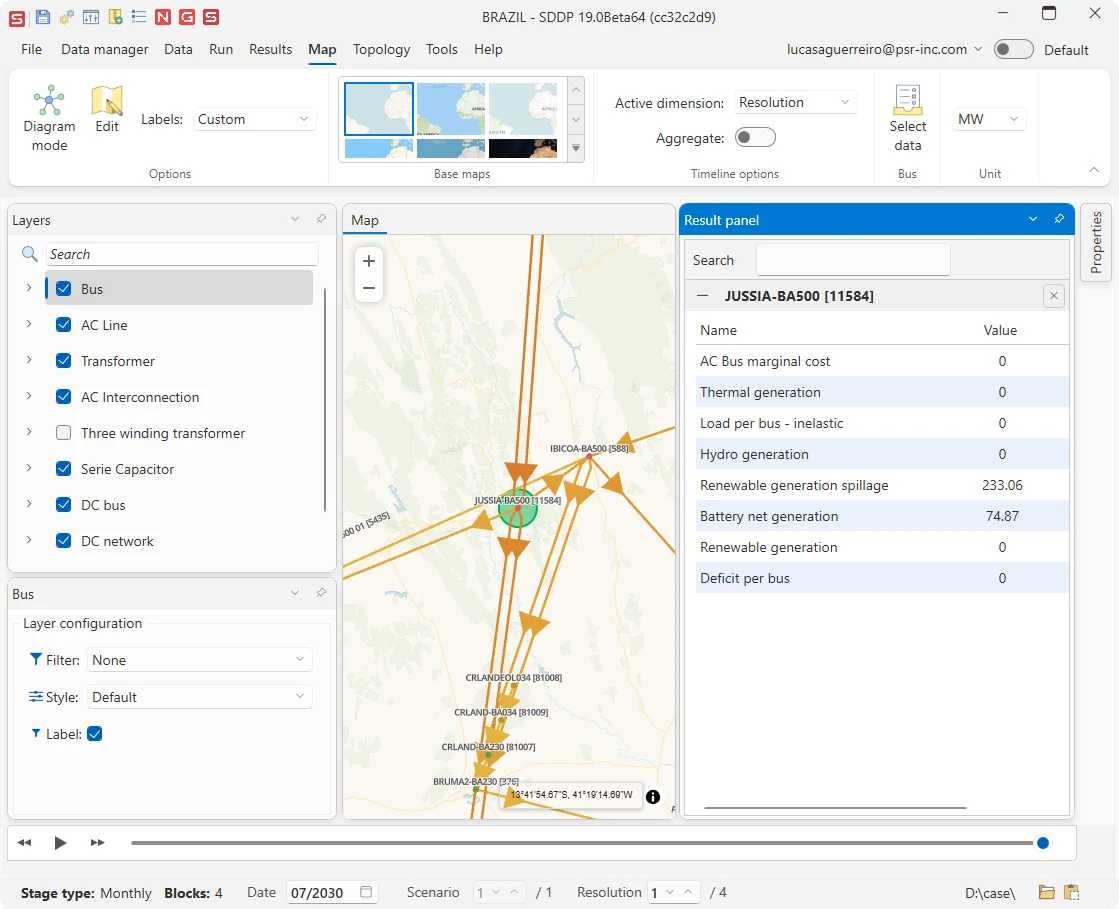
The platform's new georeferenced visualization tool, conceived from the ground up for complex, large-scale networks. Single-line diagrams, layered result analysis and map-based editing turn simulation results into spatial insight.
PSRIO
A high-performance business intelligence engine for processing large volumes of simulation outputs, now with a redesigned dashboard template and new visualization controls.
Plot
A fully integrated charting and dashboard experience, from individual plots to multi-chart analytical notebooks.
Data and interoperability
Flexible time series input Available for NCP
Free-form CSV files with flexible delimiters and structures, sparse and periodic dates, and date patterns. Data is converted between resolutions automatically, so you provide information at its native granularity and the platform adapts it to each study.
Import and export tools
Bring existing studies into SDDP without rebuilding them by hand: dedicated tools import regional data from MARGO, PLP, PLEXOS, PSS®E, NEWAVE and ANAREDE. Network data can also be exported to PSS®E and ANAREDE for power flow studies.
Excel import and export with relationships
Rebuilt for complete round-trip workflows: export, edit and re-import data, including relational structures, without losing link consistency.
Longer names, codes and unique identifiers
All elements accept longer names and codes, and get unique identifiers that are created automatically when a database is converted and can be edited to match your conventions. Most database files now use a CSV-based structure.
Lighter and faster
Lower memory consumption and faster case loading, from improvements in data handling and core components.
Compatibility
Databases converted to the new format cannot be opened in earlier SDDP versions. Keep a backup copy of your cases if you still need to work with a previous release.
AI assistant and Factory
AI assistant
Ask the assistant to alter case data, create new data, or update and describe the modeling.
Factory workbench
Turn work in the interface into Python: record GUI actions as scripts, make live edits in the interface, and automate repeated tasks that run outside the GUI, with AI coding assistance to write and refine scripts.
Add-ins
A new add-ins system makes it faster to deliver and adopt new model capabilities through the platform.
Time Series Lab 2.3
More detailed solar and wind modeling, with more control over dynamic line rating.
See what's new in TSL 2.3
Bifacial solar panels
TSL now models bifacial modules, whose rear side also captures irradiance reflected from the ground and the sky.
Custom temperature data
Provide your own temperature series for solar and CSP plants.
Faster processing
Solar historical records are generated faster through parallel processing, and memory management and data processing are more efficient across TSL.
Wind downscaling with hourly profiles
In addition to the Global Wind Atlas (GWA) long-term mean wind speed, wind series can now be downscaled based on their daily and seasonal cycles.
Wind profile charts on the map
Daily and monthly wind speed profile charts for each plant are integrated into the map, giving insight into the site's wind regime.
Dynamic line rating
New parameters give more control over line modeling: the conductor surface temperature can be informed by the user or calculated from the line specifications.
Data Manager and Knowledge Hub
SDDP Data Manager Beta
Version control for SDDP cases, integrated into the interface: secure storage of historical versions, change tracking and audit trails, and sharing across teams, making studies more traceable and reproducible.
PSR Knowledge Hub
Documentation reorganized around products and learning paths, from getting-started guides to methodology, with improved search, SSO login and integrated AI assistant.
Open the Knowledge HubDocumentation
Review all SDDP's powerful capabilities in the documents below.
Knowledge Hub
Dive deeper into the methodology, equations, and interface guides in our Knowledge Hub.
OpenSDDP Release Notes
Explore the SDDP Release Notes for more details on the latest features and fixes in each update.
ReadContact our team
Questions about SDDP 19? Get in touch with our team for a quote, a demo or support.
ContactPSR Factory Python API
Explore the documentation and discover how it simplifies data management and automates your planning tasks.
ExploreDownload SDDP 19
Available for Windows and Linux.